Citizen: Protect The World
- 4.5
- Rating
- 5.00M
- Installs
- Free
- Price

 Analysis by App-foxy
Citizen: Protect The World is the kind of news app I open with a specific purpose rather than browse casually. It is built around live emergency alerts and community crime updates, so its value depends on how quickly useful local information reaches me and whether I can understand it without getting buried in noise. I reviewed it as a practical safety tool, not as a replacement for official emergency services or careful judgment.
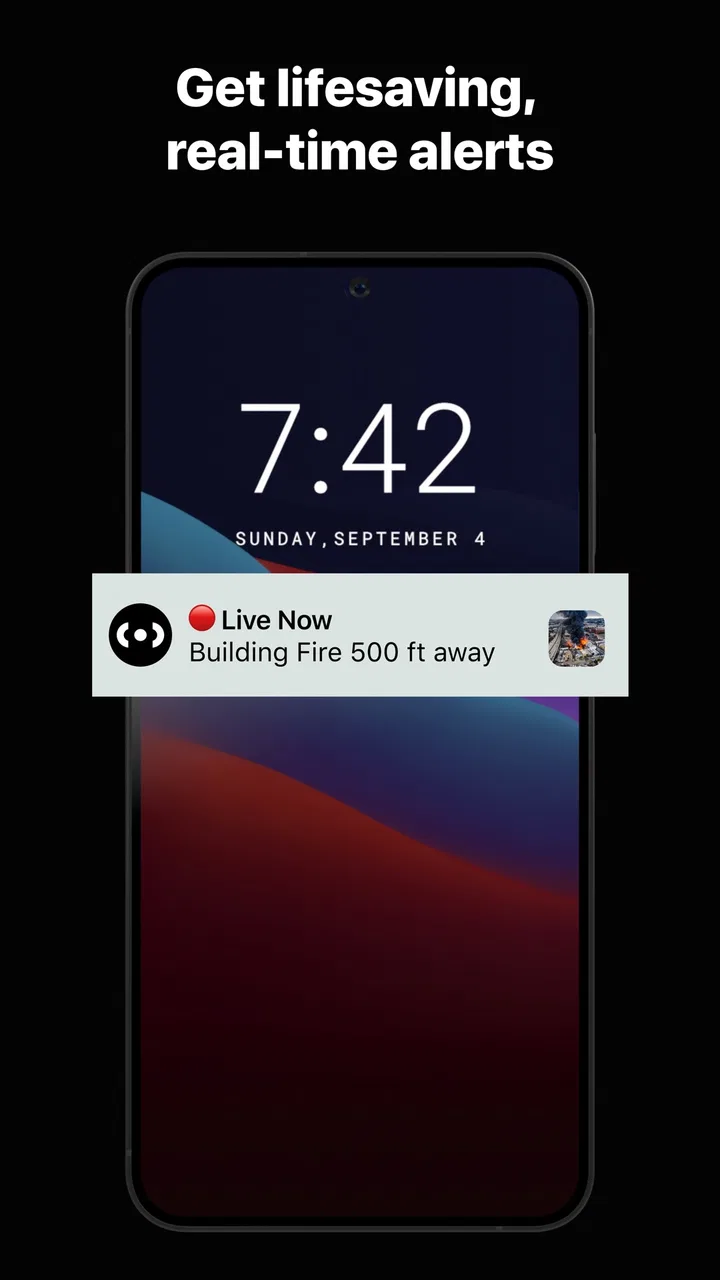
At its best, Citizen gives a nearby incident more context than a normal headline. Instead of waiting for a traditional news report, I can use the app to see what is happening around me and decide whether a route, neighborhood, or evening plan needs reconsidering. That immediacy is the main reason I would recommend trying it, especially for people who commute through unfamiliar areas or want a closer view of local events.
The app comes from Sp0n Inc. and sits in the News & Magazines category. It is free to install, carries a Teen content rating, and has reached over five million installs. Its average rating is around 4.5 from roughly 103 thousand ratings, which suggests that the basic idea has connected with a substantial audience. Still, those figures do not remove the need to judge whether a live incident feed fits your temperament and daily routine.
You May Also Like

 Blood Strike: 2.5 Anniversary
Blood Strike’s Loadouts Turn Every Drop Into a Tactical Gamble
A close look at Blood Strike’s custom loadouts: how fast access to signature weapons reshapes its battle royale rhythm, rewards preparation, and narrows the gap between fights.

 Pandora - Music & Podcasts
Pandora’s Music Is Easy to Start, but Harder to Recover
Pandora’s strength is its low-effort path from a seed to a station. Its weak spot is how much confidence it asks you to place in connection, setup, and quiet recovery.

 8 Ball Pool
 Is Built on Rivalries, Rematches, and Routine
A close look at the rivalries, rematches, shared routines, and unanswered safety questions that turn a quick pool match into a persistent mobile community.

 Samsung Music
’s Quiet Strength Is Playing What You Already Own
Its reach comes less from spectacle than from dependable access to a personal library. That simplicity is both the app’s strongest retention engine and its ceiling.

 AccuWeather: Weather Radar
AccuWeather Review: A Quick, Clear Forecast for Everyday Decisions
For everyday plans, the best forecast is the one you can understand quickly. AccuWeather makes rain timing, radar, and local conditions easy to act on, with a few trade-offs.

 Hill Climb Racing
Why Hill Climb Racing Still Turns Crashes Into One More Run
A tiny car, a bumpy hill and one more upgrade: Hill Climb Racing keeps resurfacing because its simple chaos makes every near-miss feel personal.
More From Our News Desk
View All News


How Citizen feels when speed matters
I look at speed in Citizen as a way to notice a possible change, not as a reason to rush into action. When an alert catches my eye, I first ask whether it affects my location or plans, then decide whether I need to check an authoritative source before changing course. That simple pause helps keep a quick glance useful, and it leads naturally to the question of how much control I want over the alerts competing for my attention.
Fast awareness is the main attraction
My first impression of the experience is that Citizen is designed to reduce the time between an event happening and me becoming aware of it. That makes it different from opening a general newspaper app, where the most important local story may not appear until someone has written and edited a full article. Here, the useful question is often simpler: is something happening nearby, and should I pay attention?
That speed expectation is also the app’s biggest trade-off. A live community-driven feed can be more immediate than conventional local coverage, but immediate information may be brief, developing, or emotionally charged. I would treat an alert as a prompt to check the situation, not as a complete account of what happened. This mindset makes the app more useful and reduces the risk of reacting to an incomplete early update.
For a commuter, the practical workflow is straightforward. Before leaving work, I can glance at nearby alerts, notice whether an incident is close to my route, and choose whether to wait or take another way. The benefit is not always dramatic. Often, the value is simply avoiding an unnecessary detour or arriving prepared for a disruption that would otherwise seem sudden.
What happens during busy periods
Citizen becomes more demanding to use when several incidents appear close together. A quiet feed is easy to scan, while a busy one requires discipline. I look first at distance and relevance, then at the type of event and the time of the update. That order matters because a dramatic alert several miles away may be less important to me than a smaller event directly along my route.
The app’s live nature can also create a feeling of constant urgency. If I allowed every notification to interrupt me, the safety benefit could turn into distraction. I would customize notification behavior carefully and keep only the alerts that support a real decision in my day. Someone who wants a calm, occasional news digest may find the stream too intense, even if the underlying information is useful.
Heavy use is not limited to emergencies. A person might check the feed repeatedly during a major local disruption, while traveling through an unfamiliar city, or while waiting for a family member to arrive. In those moments, the app is most valuable when I use it in short sessions: check the latest information, compare it with official guidance, make a decision, and close it again.
Stability and the question of trust
For a safety-focused app, reliability means more than whether the interface opens. I also need to know whether I can interpret an alert correctly, whether updates remain understandable as an event develops, and whether I can recover from missing context. Citizen is strongest as an awareness layer, but I would not make it my only source during a serious emergency.
When something important appears, my habit would be to cross-check it with local authorities or established news coverage before taking a major action. That is not a criticism unique to this app; it is a sensible rule for any fast-moving community report. The earlier an update arrives, the more likely it is that the situation may still be changing.
This is one of the less obvious ways to use Citizen responsibly: separate early warning from final confirmation. The app can help me notice a developing issue, while official channels should guide evacuation instructions, road closures, shelter information, or other urgent decisions. Keeping those roles separate makes the app more dependable in practice.
Recovery after an interruption
Another useful test is what I do after putting the app aside. If I return later, I want to distinguish a new alert from an older event without having to reconstruct the entire story. I found that the safest approach is to read the newest update first, then review earlier information only when the sequence affects my decision. This avoids treating every item in a long thread as equally current.
That workflow is particularly helpful when I lose attention during a busy day. Rather than scrolling through everything I missed, I can focus on incidents that are still relevant to my location or plans. It also reduces the chance of acting on an update that was accurate earlier but no longer describes the situation.
People who expect a perfect, uninterrupted emergency command center may be disappointed. Citizen is better understood as a fast local awareness tool. Its usefulness depends on network access, the quality of incoming reports, and my ability to interpret information carefully. I would keep another route to official emergency information available instead of relying on one app for every possibility.
Device demands and everyday practicality
Citizen is available for devices running iOS or Android, with Android support starting at version 9. That minimum makes it accessible to many users, although owners of older phones should check compatibility before planning around it. I would also avoid judging its usefulness only by how it behaves during a quick installation; live information apps are more demanding in daily use because notifications and repeated checks can affect the overall phone experience.
Battery and data habits are worth considering even without treating them as a reason to avoid the app. If I keep location-sensitive or frequent notifications active all day, I expect more background activity than I would get from a basic newspaper reader. My practical tip is to review notification choices after the first few days, especially if I notice that the app is pulling my attention away from work or draining the phone more quickly than expected.
The current version is 0.1278.1, so I would keep the app updated when possible. Updates are especially important for a service that depends on timely alerts and a stable connection. I would also test it before an important trip instead of installing it for the first time during a crisis. That small preparation step tells me whether the device, account setup, notification behavior, and local coverage suit my needs.
Who gets the most value
I see Citizen being most useful for people who spend a lot of time moving around a city, parents who want additional local awareness, night-shift workers, and anyone who regularly travels through neighborhoods they do not know well. It can also help residents who feel that ordinary local news arrives too late for practical decisions.
The app is less suitable for someone who becomes anxious when exposed to frequent crime-related updates. A nearby incident feed can make a city feel more dangerous simply because it makes events more visible. If I already find emergency notifications stressful, a slower local news app or a small number of official alerts may be a healthier choice.
I would also skip it as a primary tool if I only want polished reporting, background analysis, and a broad national perspective. Citizen’s strength is proximity and immediacy, not the calm editorial structure of a traditional news publication. A conventional news app is usually better for understanding causes, consequences, and the wider context after an event.
Where it differs from familiar alternatives
Compared with a standard news app, Citizen feels more immediate and geographically focused. A newspaper-style service is generally better when I want a finished story, multiple viewpoints, and a clear separation between breaking information and analysis. Citizen is better when the first question is, “What is happening near me right now?”
Compared with depending only on official emergency notifications, it can offer a broader stream of local awareness. Official alerts are essential for authoritative instructions, but they may not cover every event that affects a commute or neighborhood. I would use Citizen to notice and monitor, then use official sources to confirm and act.
Compared with neighborhood social networks, the app is more directly centered on incidents and emergency awareness. Social platforms can provide useful firsthand observations, but they can also mix unrelated conversation with urgent information. Citizen’s focused purpose makes scanning easier, although I still would not assume that every early report is complete or definitive.
Costs, age suitability, and personal boundaries
The app is free to download, but in-app purchases range from about five dollars to nearly four hundred dollars per item. That wide range makes it important to review any purchase screen carefully rather than assuming that every useful part of the experience is included at no cost. I would begin with the free experience and decide whether any optional spending genuinely improves my routine.
The Teen rating is meaningful here because emergency and crime-related content may be upsetting, particularly for younger users. I would not hand the app to a child without discussing what the alerts represent and how to respond to alarming information. Adults should also consider whether constant exposure to local incidents helps them feel prepared or simply increases worry.
Privacy and attention boundaries are practical considerations for any location-aware safety service. I would grant only the access needed for the way I intend to use it, review notification settings, and avoid sharing an alert publicly before checking the details. The most useful setup is not necessarily the one with every alert enabled; it is the one that gives me relevant awareness without turning the phone into a nonstop alarm.
My performance verdict
After looking at the app through speed, heavy-use behavior, reliability, recovery, and device constraints, I see Citizen as a focused companion rather than a complete news or emergency system. Its perceived speed is the reason to install it. Its live, local emphasis can make ordinary decisions easier, especially when timing and distance matter more than a polished article.
Its limitations are equally clear. Fast community information needs interpretation, repeated alerts can become distracting, and serious emergencies still call for official instructions. The experience will also depend on how active and relevant the local feed is where I live. Someone in an area with little useful coverage may not receive the same value as someone in a busy urban environment.
For me, the best setup is to use Citizen in short, purposeful checks, keep notifications selective, and treat alerts as signals for further attention rather than unquestionable facts. That approach preserves its strongest advantage without letting it dominate my day. I would recommend it to readers who want nearby awareness and are comfortable making careful decisions with developing information.
I would not recommend it to someone seeking a quiet headline reader, detailed investigative journalism, or a single authoritative source for emergencies. For everyone else, the free starting point makes it easy to test whether the local coverage and notification rhythm fit. Sp0n Inc. has created an app with a clear practical role, and in my experience, it works best when I use that role deliberately: notice sooner, verify wisely, and act only when the information is relevant to me.
FAQs for Citizen: Protect The World
01What is Citizen: Protect The World, and how does it work?
Citizen: Protect The World is a real-time safety tracking app that allows users to receive and share alerts about incidents happening nearby. It uses your location to provide real-time updates on emergencies, such as natural disasters, crimes, and public safety threats. Users can also report incidents, helping to create a community-driven safety network.
02Is Citizen: Protect The World free to use?
Yes, Citizen: Protect The World is free to download and use. It offers essential features at no cost, allowing users to access real-time safety alerts and reports. However, there may be optional in-app purchases or subscription services that provide additional features, such as advanced location tracking or premium alerts.
03How does Citizen ensure the accuracy of the incident reports?
Citizen relies on a combination of user-submitted reports and verified information from official sources to ensure accuracy. The app employs a team of moderators who review and verify reports before they are broadcasted. Users are encouraged to report responsibly and provide as much detail as possible to maintain the integrity of the information shared.
04What privacy measures does Citizen have in place?
Citizen prioritizes user privacy by allowing users to report incidents anonymously. The app only uses location data to provide relevant safety alerts and does not share personal information without consent. Users have control over their data and can manage privacy settings within the app to suit their preferences.
05Can Citizen: Protect The World be used internationally?
Citizen: Protect The World is primarily available in major cities across the United States. While users in other countries may download and use the app, the availability and accuracy of incident reports may vary. The developers are continuously working on expanding coverage to more locations globally.
Pros
- Real-time safety alerts.
- User-friendly interface.
- Community-driven updates.
- Location-specific information.
- Comprehensive incident coverage.
Cons
- Requires constant internet access.
- Battery drain issues reported.
- Limited features without subscription.
- Privacy concerns with location sharing.
- Notifications can be overwhelming.

Citizen: Protect The World
Gallery